Sites
nginx → php-fpm, nginx → Apache or a proxy to your own backend. Installers and presets for WordPress, Joomla, OpenCart and 1C-Bitrix.
mp site addA web server control panel
Sites, PHP, databases, TLS, mail, backups, firewall and moving between servers — in one static binary, with no runtime and no external dependencies. The panel listens on its own port and does not depend on the system nginx: if a site’s configuration breaks, the panel stays reachable and can fix it.
$ curl -fsSL https://monopanel.app/install.sh | sh$ mp setup
That is packaging/install.sh
from the repository: it detects the OS and architecture, downloads the latest release package, checks it against the published checksum and installs it. mp setup creates the administrator and prints the panel address and password.
$ mp stack install nginx$ mp stack install percona$ mp php install 8.4$ mp user add alex --generate --shell$ mp site add example.com --user alex --www --preset wordpress$ mp cms install example.com wordpress
The preset tunes nginx and PHP for the CMS; the panel runs the CMS installer itself and shows the administrator credentials once.
$ mp mail install --hostname mail.example.com$ mp mail domain add example.com --user alex$ mp mail box add ivan@example.com --quota 2048$ mp mail domain dns example.com
mail domain dns shows what to add to DNS — MX, SPF, DKIM, DMARC and PTR —
and checks the records against public resolvers.
$ mp migrate plan --from fastpanel --source root@old.example.com --scope user:shop$ mp migrate run --from fastpanel --source root@old.example.com --scope user:shop
plan changes nothing: it shows what will come over and what stands in the way.
The source is only read, so the old server stays as a fallback until DNS is switched.
Light and dark themes, English and Russian, on a phone too. A shot of a sample server: Ubuntu 24.04, sites on example.com.
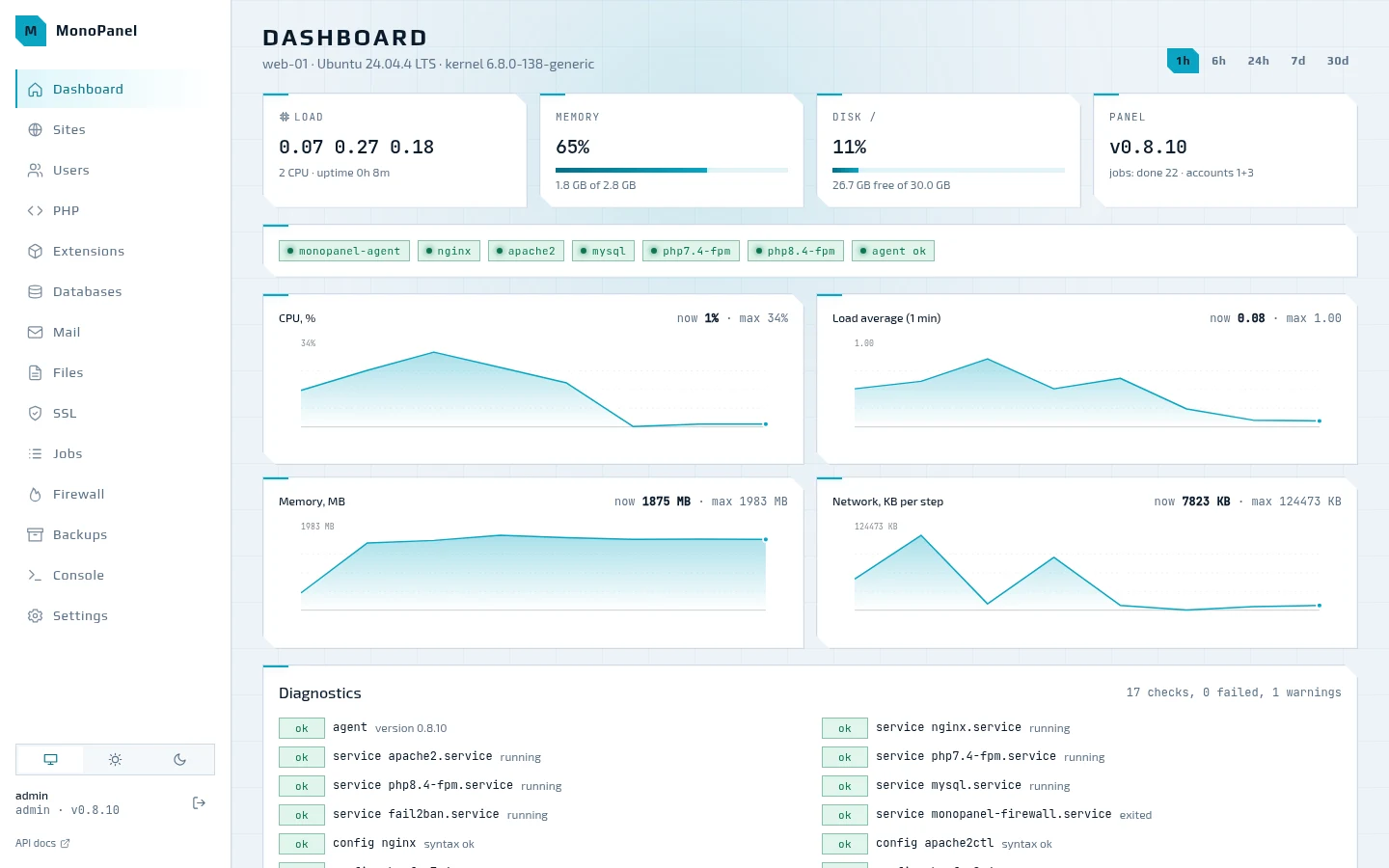
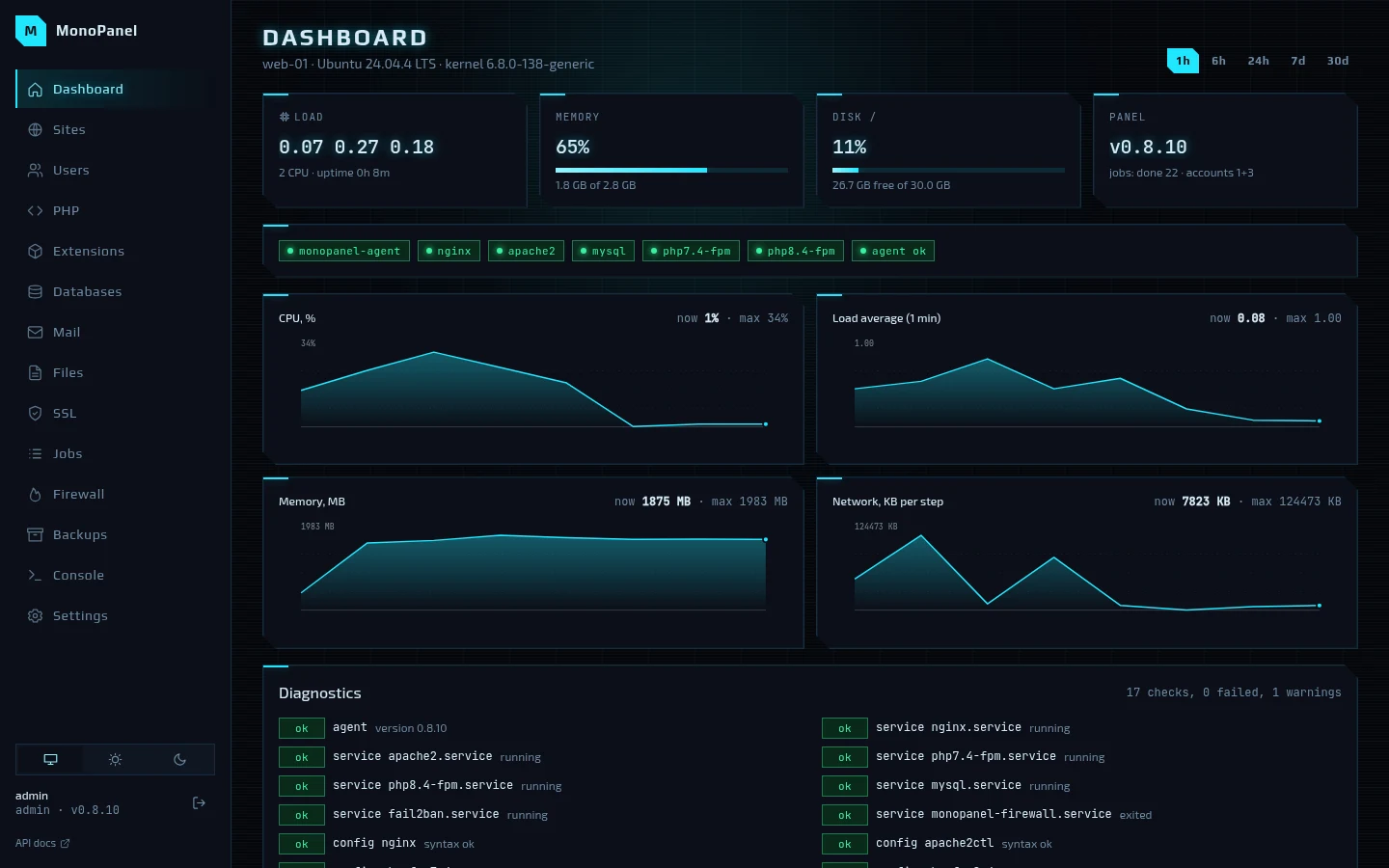
Everything goes through one REST API and is available in the web UI, CLI and TUI.
nginx → php-fpm, nginx → Apache or a proxy to your own backend. Installers and presets for WordPress, Joomla, OpenCart and 1C-Bitrix.
mp site addSeveral branches side by side, a php-fpm for each and a pool per site. Any php.ini setting — for one site or for all of them at once.
mp php install 8.4Percona Server or MySQL 8.4 LTS: root over auth_socket, tuning to the amount of memory, generated passwords. Every account gets its own Valkey for cache and PHP sessions.
mp db createLet’s Encrypt over HTTP-01, and DNS-01 for wildcards — Cloudflare, Hetzner, DigitalOcean and more. Renewal 30 days before expiry.
mp ssl issuepostfix, dovecot and opendkim: mailboxes with quotas, aliases, DKIM and Roundcube. The panel shows the DNS records you need and checks them. For now — Debian 12 and Ubuntu 22.04/24.04.
mp mail installnftables with a drop policy and fail2ban with jails for sshd, nginx and the panel. A rule that would lock you out is refused.
mp firewall enablerestic to local, SFTP, S3, B2 or REST: files, MySQL dumps and the panel database on a schedule, restored alongside or in place.
mp backup runA whole account — from another MonoPanel, BitrixVM or FASTPANEL: sites, databases, cron and certificates. The source is only read.
mp migrate runOne REST API for everything: anything you can do with a mouse you can script. TOTP 2FA, API tokens and webhooks.
mpOne binary, monopanel (also known as mp), runs in four roles with privilege
separation. State lives in SQLite.
| Role | Privileges | Purpose |
|---|---|---|
api | the monopanel user | HTTPS :8443, a socket for the CLI, the job queue |
agent | root | a closed set of typed operations, never command strings |
helper | setuid, irreversible privilege drop | file operations on behalf of a client |
fsop | the client’s privileges | the file operation itself |
A change is not an edit to a file on disk but a database write that the configs are rendered from. Any failure along the way rolls back the whole set of files and returns the error text.
The panel finds a new release itself, downloads the package for its OS, verifies the ed25519 signature and installs it from a separate systemd unit. If the new version does not respond, the previous binary comes back.
Root and systemd are required. Installing the panel, nginx, PHP and Percona and the e2e scenario pass on all eleven OSes of the testbed.
On EL, SELinux stays enforcing — the panel sets up the contexts and booleans that hosting needs itself. .deb and .rpm packages for amd64 and arm64.